

Home Assistant Integration
Home Assistant is Sanctum’s haus automation hub. Since 2026-06-28 it runs on a dedicated Home Assistant Green appliance — its own tailnet node, holding static 10.0.0.3 on the LAN — after earlier lives in the VM and as a Docker container on the Mac Mini. Sonos speakers are managed by a separate native bridge running directly on the Mac, because Docker bridge networking and Sonos callbacks had a relationship best described as “irreconcilable differences.”
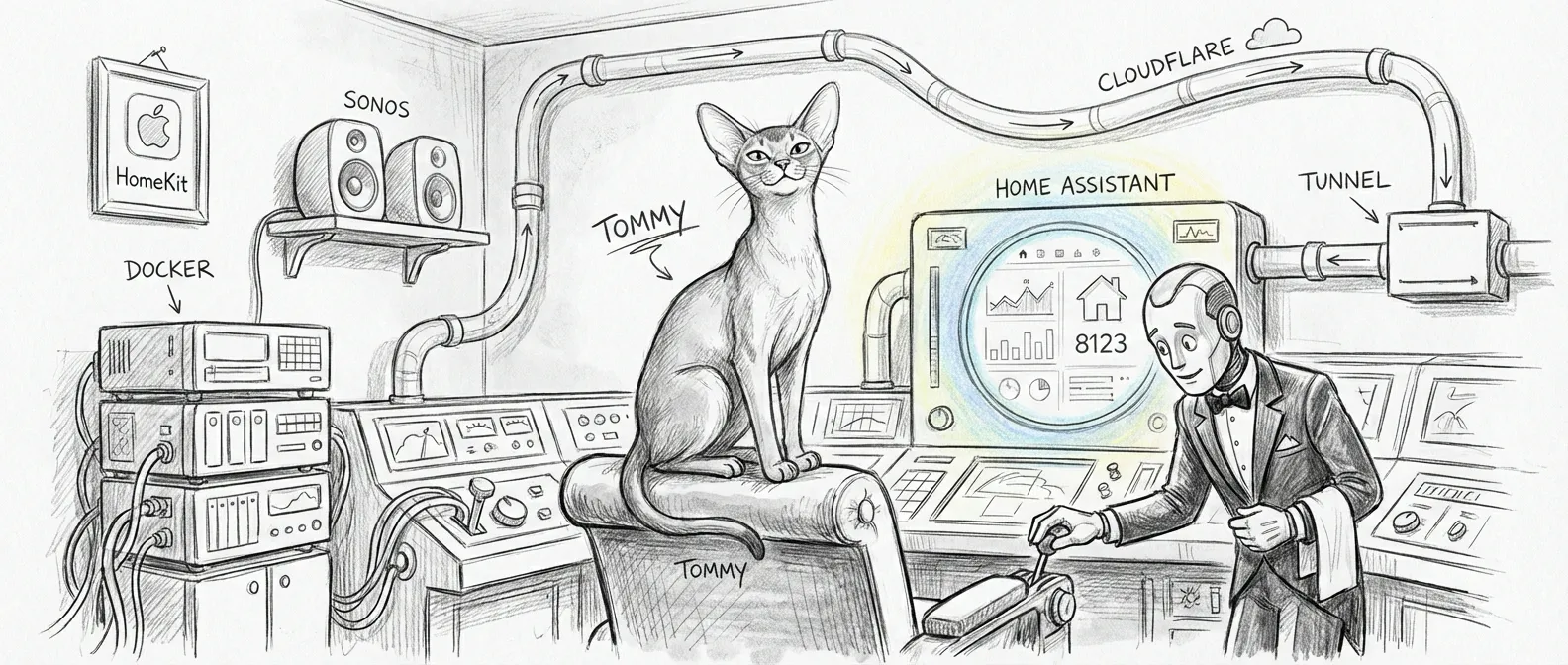
Architecture
Section titled “Architecture”Today’s layout, refreshingly boring by design:
┌──────────────────────────────┐ ┌─────────────────────────────────┐│ Home Assistant Green │ │ Mac Mini ││ 10.0.0.3 (static, LAN) │◄─────────│ ha-green-bridge (outbound WS) ││ Port 8123 → Web UI │ │ ha-gateway (:8199) ││ Tailnet node → remote access│ │ Sonos Bridge (native, :1969) │└──────────────────────────────┘ └─────────────────────────────────┘The retired Docker-on-Mini layout, preserved for the record:
┌────────────────────────────────────────────────┐│ Mac Mini ││ ││ ┌──────────────────────────────────────────┐ ││ │ Sonos Bridge (native, port 1969) │ ││ │ SoCo → SSDP → 10 Sonos speakers │ ││ │ Chatterbox → port 8008 → Yoda voice │ ││ └────────────┬─────────────────────────────┘ ││ │ REST (host.docker.internal) ││ ┌────────────▼─────────────────────────────┐ ││ │ Docker / OrbStack (host networking) │ ││ │ │ ││ │ ┌──────────────────────────────────┐ │ ││ │ │ Home Assistant Container │ │ ││ │ │ Port 8123 → Web UI │ │ ││ │ │ Port 21063 → HomeKit Bridge │ │ ││ │ │ SSH agent → VM access │ │ ││ │ └──────────────────────────────────┘ │ ││ └──────────────────────────────────────────┘ ││ ││ Cloudflare Tunnel → ha.example.net │└────────────────────────────────────────────────┘HA moved from the VM to Mac Docker because SLIRP networking couldn’t keep up with this many integrations and real-time device traffic. Sonos was later pulled out of HA entirely because Docker networking on macOS couldn’t reliably hold the bidirectional callback connection Sonos demands. Two migrations, two networking problems, one closet.
Docker Configuration
Section titled “Docker Configuration”The container used network_mode: host. On macOS that was the impossible setting for years — Docker Desktop runs containers inside a Linux VM, so “host networking” meant the VM’s host, not the Mac’s. OrbStack is the runtime that actually delivers it: the container shares the Mac’s real network stack, which is the whole reason it can see the mDNS and SSDP broadcasts that HomeKit and Sonos discovery depend on.
Key Settings
Section titled “Key Settings”| Setting | Value |
|---|---|
| Image | ghcr.io/home-assistant/home-assistant:stable |
| Network mode | host (network_mode: host) |
| Web UI port | 8123 |
| HomeKit port | 21063 |
| Config directory | ~/.openclaw/homeassistant/ |
| Restart policy | unless-stopped |
Compose File
Section titled “Compose File”The compose.yaml at ~/.openclaw/homeassistant/ defined the container with these essential directives:
- Network mode:
host— noports:block, because there’s no NAT to traverse. 8123 and 21063 bind straight to the Mac. - Volume mount: Local config directory into
/config cap_add: NET_RAW: lets the container send the raw mDNS/SSDP packets discovery relies on- Extra hosts:
host.docker.internal:host-gatewayfor reaching Mac-native services (like the Sonos Bridge) from inside the container - SSH agent socket:
/run/host-services/ssh-auth.sockmounted for agent forwarding to the VM
Runtime: OrbStack, not Docker Desktop
Section titled “Runtime: OrbStack, not Docker Desktop”Docker Desktop on macOS runs a Linux VM and tells you --network=host means host networking. It does not — it means the VM’s network, a thing that cannot see mDNS broadcasts and so cannot discover the Ecobee thermostats HA’s HomeKit Controller finds via Bonjour. Docker Desktop was first swapped for Colima, then Colima for OrbStack on April 27, 2026 (Colima’s SSH ControlMaster bug wedged the daemon one too many times). OrbStack gives containers the Mac’s real network stack — true host networking, no VM seam. Its socket:
DOCKER_HOST=unix:///Users/neo/.orbstack/run/docker.sockThe startup chain is intentionally sequential:
com.sanctum.orbstack-engine-autostartrunsorbctl startat bootcom.sanctum.openclaw.docker-startupruns~/.openclaw/launch-after-docker.sh, which waits for the socket (docker infosucceeds) before acting- Once the socket was live, it brought up the Home Assistant container (the signal-cli stack rode along until it was retired in the Colima cut)
The migration was uneventful, which is the highest compliment infrastructure work can receive. The Ecobee sensors appeared in HA’s discovery panel within seconds. They had been broadcasting the entire time. The VM just couldn’t hear them.
Sonos Integration
Section titled “Sonos Integration”Sanctum manages 10 Sonos speakers across the haus, but not through HA’s built-in Sonos integration — that’s disabled. Instead a native Python service, the Sonos Bridge, runs directly on the Mac Mini. It listens on port 1969 and exposes a REST API for speaker control, TTS announcements, and media playback. In the container era HA called it via rest_command entries; today its callers are Mini-side (haus-control’s curfews chief among them), and Green-side intent rides the outbound ha-green-bridge websocket.
┌─────────────────────────────────────────────┐│ Mac Mini (native) ││ ││ ┌───────────────────────────────────────┐ ││ │ Sonos Bridge (port 1969) │ ││ │ SoCo → SSDP → 10 speakers on LAN │ ││ │ Chatterbox → Yoda voice generation │ ││ └──────────▲────────────────────────────┘ ││ │ REST API ││ ┌──────────┴────────────────────────────┐ ││ │ Mini-side callers │ ││ │ haus-control → :1969/tts (curfews) │ ││ │ Green intent ← ha-green-bridge WS │ ││ └───────────────────────────────────────┘ │└─────────────────────────────────────────────┘Why Not the HA Integration?
Section titled “Why Not the HA Integration?”The HA integration needs advertise_addr and static host IPs to compensate for the bridge boundary, but Sonos speakers still have to reach back into the container for event callbacks — and that callback path breaks unpredictably after container restarts, networking warmups, and the occasional firmware update. We tried socat tunnels, socket_vmnet, and timed reload automations. None of it was reliable.
The native bridge uses SoCo directly on the Mac’s LAN interface. SSDP discovery works instantly. Speaker callbacks land on the Mac’s real IP. No tunnels, no NAT, no prayers.
HA REST Commands
Section titled “HA REST Commands”In the container era, HA scripts and automations called the bridge through two REST commands — host.docker.internal being the container’s window back to the Mac:
rest_command: sonos_tts: url: "http://host.docker.internal:1969/tts" method: POST content_type: "application/json" payload: '{"rooms": {{ rooms }}, "text": "{{ message }}", "severity": "{{ severity }}"}' sonos_announce: url: "http://host.docker.internal:1969/announce" method: POST content_type: "application/json" payload: '{"rooms": {{ rooms }}, "text": "{{ message }}", "severity": "{{ severity }}"}'Severity maps to volume: low (30%), medium (50%), high (80%), critical (100%). The bridge handles TTS generation, audio file serving, and Sonos playback in a single call.
Text-to-Speech
Section titled “Text-to-Speech”The bridge generates speech through the sanctum-tts server on port 8008 — an OpenAI-compatible /v1/audio/speech endpoint with the Chatterbox cbx-yoda worker on port 8011 behind it today (XTTS-v2 retired 2026-04-19), resolved by model id so the backend can change without touching the bridge. It saves the WAV locally and tells Sonos to fetch it from http://<mac-lan-ip>:1969/<id>.wav. The voice is Yoda. There was a discussion. Yoda won.
Bridge Management
Section titled “Bridge Management”# Check bridge healthcurl -s http://localhost:1969/health | python3 -m json.tool
# List all speakerscurl -s http://localhost:1969/speakers | python3 -m json.tool
# Manual TTS testcurl -X POST http://localhost:1969/tts \ -H 'Content-Type: application/json' \ -d '{"rooms": ["living_room"], "text": "Testing", "severity": "low"}'
# Restart bridgelaunchctl kickstart -k gui/$(id -u)/com.openclaw.sonos-bridgeSSH Agent Forwarding
Section titled “SSH Agent Forwarding”In the container era, some HA automations needed SSH access to the VM. The Mac’s SSH agent socket at /run/host-services/ssh-auth.sock was mounted as a volume in the compose file, so scripts inside the container could ssh openclaw using the Mac’s loaded keys — no private keys ever stored in the container. Wrapper scripts lived at ~/.openclaw/ha-scripts/ and exec’d SSH to the VM with agent forwarding enabled.
Network Configuration
Section titled “Network Configuration”The configuration.yaml carries network-specific settings so HA reports the right client IP when a request arrives through a proxy hop:
homeassistant:  internal_url: "http://10.0.0.3:8123"  external_url: "http://homeassistant.<your-tailnet>.ts.net:8123"
http:  use_x_forwarded_for: true  trusted_proxies:    - 172.16.0.0/12    - 192.168.64.0/20
The trusted proxies let HA read the real client IP from X-Forwarded-For instead of attributing every visitor to the proxy; the ranges date to the container era’s OrbStack and Tailscale hops.
Remote Access
Section titled “Remote Access”Remote access is Tailscale, full stop. The Green joins the tailnet as its own node through the Tailscale add-on, so there is no tunnel, no reverse proxy, and no extra login page — WireGuard end to end, HA’s own auth on top. (The container era’s Cloudflare tunnel retired with the container; the council picked Tailscale over a public tunnel four-to-one.)
Browser Access (Tailscale)
Section titled “Browser Access (Tailscale)”http://10.0.0.3:8123 on the LAN; http://homeassistant.<your-tailnet>.ts.net:8123 from anywhere on the tailnet.
iPhone Companion App (Tailscale)
Section titled “iPhone Companion App (Tailscale)”The HA Companion app connects the same way. Tailscale provides end-to-end WireGuard encryption, so HTTPS is not needed.
Companion App Setup
Section titled “Companion App Setup”-
Install Tailscale on iPhone and connect (do NOT enable exit node)
-
Install HA Companion
-
Open HA Companion → Settings → Companion App → Server & Connection
-
Configure connection URLs:
Field Value Internal URL http://10.0.0.3:8123External URL http://homeassistant.<your-tailnet>.ts.net:8123 -
Under Internal Connection: add your haus Wi-Fi SSID so the app uses the LAN when haus
-
Enable Local Push for instant notifications on haus Wi-Fi
-
Test: turn off Wi-Fi briefly — the app should reconnect via Tailscale
HomeKit Bridge
Section titled “HomeKit Bridge”The HomeKit bridge runs on port 21063, allowing Apple Home app control of HA-managed devices.
| Setting | Value |
|---|---|
| Port | 21063 |
| Pairing code | shown in HA → Settings → Devices & Services |
The pairing code is generated per-bridge and lives in HA’s UI — never hardcode or commit it; a HomeKit code plus LAN access is all someone needs to pair. The bridge exposes selected devices to Apple Home while keeping the full HA device list in the web UI.
Management
Section titled “Management”These commands operated the retired container — kept for the record; running them today resurrects the decommissioned twin.
Starting and Stopping
Section titled “Starting and Stopping”# Start HAcd ~/.openclaw/homeassistant && docker compose up -d
# Stop HAcd ~/.openclaw/homeassistant && docker compose down
# View logsdocker logs -f homeassistant
# Restartcd ~/.openclaw/homeassistant && docker compose restartRollback
Section titled “Rollback”When the Mac Docker instance had issues, a rollback path existed to the VM:
- Stop the Mac container:
docker compose down - SSH to the VM:
ssh openclaw - Start the VM instance:
~/.openclaw/ha-docker.sh recreate