LaunchAgents & LaunchDaemons

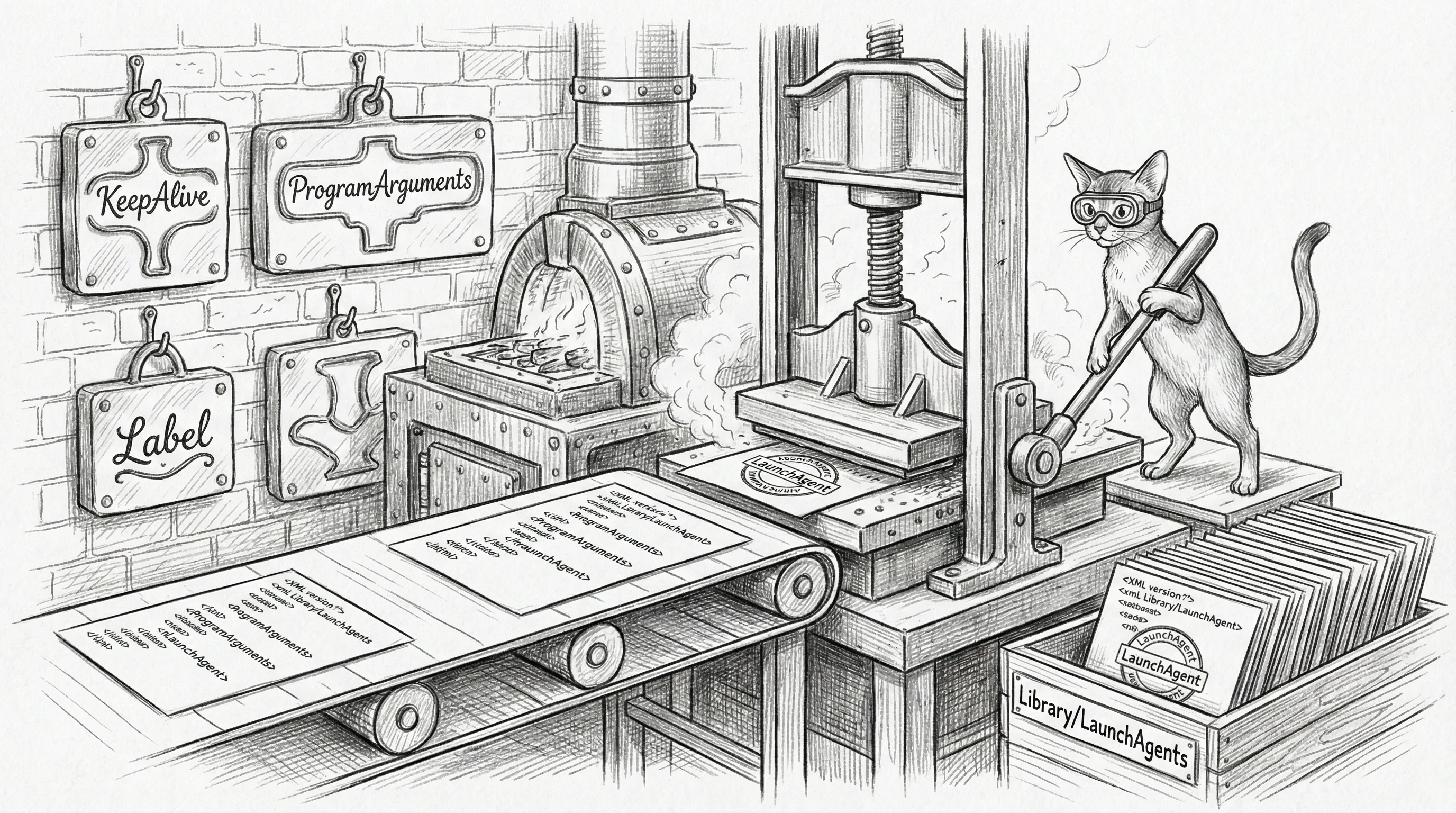
Sanctum manages a set of macOS LaunchAgents (user-level) and LaunchDaemons (root-level) that form the boot chain for the haus intelligence platform. Each plist is rendered from templates at ~/.sanctum/templates/launchagents/ by the generate-plists.sh script, which pulls values from instance.yaml and tokens from the macOS Keychain.
You might wonder why these aren’t written in a friendlier format. The answer is that Apple chose XML for process management configuration in 2005 and has been politely pretending that was fine ever since. The template system exists so you never have to touch raw plist XML. You’re welcome.
Boot Chain Overview
Section titled “Boot Chain Overview”LaunchAgents are loaded at user login. The ordering below reflects the logical dependency chain — launchd does not guarantee ordering, but RunAtLoad: true ensures all agents start promptly after login.
In practice, everything starts within seconds of each other and sorts itself out. It’s less of a chain and more of a stampede in roughly the right direction.
LaunchAgents
Section titled “LaunchAgents”Core Infrastructure
Section titled “Core Infrastructure”These agents stand up the VM, the gateway, and the firewall bridge. Without them, the rest of the stack is a collection of orphaned processes with nowhere to send their feelings.
com.sanctum.vm-autostart
Section titled “com.sanctum.vm-autostart”| Property | Value |
|---|---|
| Label | com.sanctum.vm-autostart |
| Purpose | Launch headless QEMU, restore the bridge100 IP, and re-establish the VM-facing Mac bridge surfaces |
| Required Service | vm |
| KeepAlive | No |
| RunAtLoad | Yes |
Runs the startup script that launches QEMU headless, waits for the VM to boot, configures the bridge interface IP via sudo ifconfig, and restores the VM-facing Mac service bridges after the network comes back. In the current runtime that specifically includes the LM Studio bridge exposed on 10.10.10.1:1234. Requires the vmnet-bridge sudoers entry at /etc/sudoers.d/vmnet-bridge.
The first domino. Everything else assumes the VM is running and the bridge exists. If this one fails, enjoy your very expensive aluminum rectangle doing absolutely nothing useful.
com.sanctum.lmstudio-bridge
Section titled “com.sanctum.lmstudio-bridge”| Property | Value |
|---|---|
| Label | com.sanctum.lmstudio-bridge |
| Purpose | Expose the Mac-local LM Studio listener to the VM bridge address |
| Required Service | vm |
| KeepAlive | Yes |
| RunAtLoad | Yes |
| Port | 10.10.10.1:1234 |
This small bridge LaunchAgent forwards the VM-facing 10.10.10.1:1234 listener to the Mac-local LM Studio process bound on 127.0.0.1:1234. The VM does not need the whole desktop. It needs one reliable door.
com.sanctum.vm-autostart is responsible for ensuring this bridge exists once the bridge network comes back. The bridge itself is launchd-managed so it stays resident after the one-shot VM bootstrap work is finished.
com.sanctum.gateway
Section titled “com.sanctum.gateway”| Property | Value |
|---|---|
| Label | com.sanctum.gateway |
| Purpose | OpenClaw/DenchClaw agent gateway on the Mac side |
| Required Service | gateway |
| KeepAlive | No |
| RunAtLoad | Yes |
| Port | 1977 |
The Mac-side agent gateway. Uses /opt/homebrew/bin/node (stable Homebrew symlink, not a versioned Cellar path) because pointing a LaunchAgent at a Cellar path is a time bomb with a brew upgrade fuse.
com.sanctum.firewalla
Section titled “com.sanctum.firewalla”| Property | Value |
|---|---|
| Label | com.sanctum.firewalla |
| Purpose | Bridge between the Sanctum stack and the Firewalla Purple router via the P2P API |
| Required Service | firewalla |
| KeepAlive | Yes |
| RunAtLoad | Yes |
| Port | 1984 |
| Bind | 0.0.0.0 (accessible from VM) |
Runs firewalla-bridge.js which authenticates to Firewalla’s cloud endpoint and then communicates locally over port 8833. The bridge binds to all interfaces so the VM can reach it at 10.10.10.1:1984.
A bridge to a bridge. Networking is turtles all the way down.
AI & Voice
Section titled “AI & Voice”The agents that give the haus its opinions. One serves a 35-billion-parameter MoE model. One synthesizes speech. One listens for a wake word and responds as a fictional Jedi. Totally standard residential infrastructure.
com.sanctum.yoda-tts-worker
Section titled “com.sanctum.yoda-tts-worker”| Property | Value |
|---|---|
| Label | com.sanctum.yoda-tts-worker |
| Purpose | Qwen3-TTS text-to-speech via mlx-audio (workers.tts_server) |
| Required Service | tts |
| KeepAlive | Yes |
| RunAtLoad | Yes |
| Port | 8008 |
Provides TTS for the voice agent. Replaced com.sanctum.xtts-server on 2026-04-19 once Qwen3-TTS proved equal quality with lower memory pressure. Old XTTS plist retained as .retired for archaeology, not load.
com.sanctum.voice-agent
Section titled “com.sanctum.voice-agent”| Property | Value |
|---|---|
| Label | com.sanctum.voice-agent |
| Purpose | Yoda voice interaction agent |
| Required Service | voice_agent |
| KeepAlive | No |
| RunAtLoad | Yes |
Manages voice capture, wake-word detection, and Yoda personality interactions. A daemon that sits in silence, waiting for someone to speak, then answers in the cadence of a small green Jedi master. Your haus does this now. You chose this life.
com.sanctum.mlx
Section titled “com.sanctum.mlx”| Property | Value |
|---|---|
| Label | com.sanctum.mlx |
| Purpose | Council MLX — pure-Rust sanctum-mlx inference server |
| Required Service | mlx_server |
| KeepAlive | Yes |
| RunAtLoad | Yes |
| Port | 1337 (mTLS-only) |
Serves Qwen3.6-35B-A3B-4bit with TurboQuant Slice 4a fused Metal kernel. The 27B-distilled era ended 2026-04-22 when the council moved to the 35B MoE; the old com.sanctum.idle-mlx label retired with it. Thirty-five billion parameters, sitting in RAM, waiting to be useful — and only routable over mutual TLS, because not every consumer is a friend.
com.sanctum.server
Section titled “com.sanctum.server”| Property | Value |
|---|---|
| Label | com.sanctum.server |
| Binary | proxyd |
| Purpose | Sanctum Proxy — single-binary LLM routing layer |
| Required Service | proxy |
| KeepAlive | Yes |
| RunAtLoad | Yes |
| Port | 4040 (all interfaces) |
A single Rust binary (proxyd) that handles the full LLM request pipeline: request sanitization, content-based routing, prompt caching, PII scrubbing, assistant prefill stripping, model resolution, tiered fallback chains, and analytics. All agent traffic enters through port 4040. Renamed from com.sanctum.proxy to align with the binary name. The bouncer and the bartender in one efficient package.
com.sanctum.memory-vault
Section titled “com.sanctum.memory-vault”| Property | Value |
|---|---|
| Label | com.sanctum.memory-vault |
| Purpose | Long-term agent memory store with periodic consolidation |
| Required Service | memory_vault |
| KeepAlive | Yes |
| RunAtLoad | Yes |
| Port | 42069 (loopback only) |
SQLite-backed vault at ~/.sanctum/memory/.vault.db. Consolidates every six hours, exposes an SSE transport for MCP clients, and is the long-term memory the council reads from when a conversation runs longer than a context window. Read instance.yaml for the active port — the plist env var is decorative; the binary takes its truth from instance.yaml.
com.sanctum.reranker
Section titled “com.sanctum.reranker”| Property | Value |
|---|---|
| Label | com.sanctum.reranker |
| Purpose | Jina v2 reranker for memory-vault RAG queries |
| Required Service | reranker |
| KeepAlive | Yes |
| RunAtLoad | Yes |
| Port | 42070 (loopback only) |
Companion to memory-vault on the next port up. Jina v2 reranker (Python + transformers) that re-scores retrieved memory chunks for relevance. The torch warmup adds ~10s to launch; the relevance gain over raw vector similarity is worth it for long-running agent sessions.
Network & Tunnels
Section titled “Network & Tunnels”Every system with a VM that can’t see the LAN eventually grows a small collection of tunnels. This is that collection. Each one exists because some process needed to reach some other process, and a direct route was too much to ask.
com.sanctum.ha-tunnel
Section titled “com.sanctum.ha-tunnel”| Property | Value |
|---|---|
| Label | com.sanctum.ha-tunnel |
| Purpose | SSH tunnel from the HA Docker container to the VM’s Network Control API on port 4007 |
| Required Service | home_assistant |
| KeepAlive | No |
| RunAtLoad | Yes |
Allows the Home Assistant container (running in Docker bridge networking) to reach the VM’s Network Control API via host.docker.internal. A Docker container, talking through an SSH tunnel, to a VM it can’t see, about devices on a network it’s not on. Distributed systems are just loneliness at scale.
com.sanctum.health-tunnel
Section titled “com.sanctum.health-tunnel”| Property | Value |
|---|---|
| Label | com.sanctum.health-tunnel |
| Purpose | SSH tunnel for the health ingester to reach the VM on port 10101 |
| Required Service | health_center |
| KeepAlive | Yes |
| RunAtLoad | Yes |
The health ingester’s lifeline to the VM. Keeps itself alive because health data waits for no one — your resting heart rate doesn’t care that the tunnel crashed at 3 AM.
com.sanctum.tunnel
Section titled “com.sanctum.tunnel”| Property | Value |
|---|---|
| Label | com.sanctum.tunnel |
| Purpose | Cloudflare Zero Trust tunnel for external access |
| Required Service | cloudflare |
| KeepAlive | Yes |
| RunAtLoad | Yes |
Runs the cloudflared tunnel daemon for the configured tunnel name (e.g., sanctum-hub). Routes external traffic to internal services like Home Assistant and the health ingester. The one tunnel in this list that actually reaches the outside world, which makes it either the most important or the most dangerous, depending on your threat model.
com.sanctum.orbi-bridge
Section titled “com.sanctum.orbi-bridge”| Property | Value |
|---|---|
| Label | com.sanctum.orbi-bridge |
| Purpose | socat bridge allowing the VM to reach the Orbi router |
| Required Service | vm |
| KeepAlive | Yes |
| RunAtLoad | Yes |
| Ports | 18080 (HTTP), 18085 (API) |
Forwards VM traffic from 10.10.10.1:18080 to the Orbi router at 192.168.1.2:80 and 10.10.10.1:18085 to 192.168.1.2:5000. Required because the VM has no direct LAN access.
The VM wants to talk to the router. The VM can’t reach the router. So we built a socat tunnel through the Mac. Networking: where every problem is solved by adding another layer of indirection.
com.sanctum.signal-bridge
Section titled “com.sanctum.signal-bridge”| Property | Value |
|---|---|
| Label | com.sanctum.signal-bridge |
| Purpose | Signal messaging bridge for agent communication |
| Required Service | signal_bridge |
| KeepAlive | Yes |
| RunAtLoad | Yes |
Lets agents send and receive Signal messages. End-to-end encrypted AI communication — because if your haus is going to text you, it should at least have the decency to do it privately.
System & Maintenance
Section titled “System & Maintenance”The quiet ones. They file your documents, rotate your secrets, watch for fires, and serve your offline Wikipedia. They don’t get thanked enough.
com.sanctum.icloud-filer
Section titled “com.sanctum.icloud-filer”| Property | Value |
|---|---|
| Label | com.sanctum.icloud-filer |
| Purpose | Automatic filing daemon for iCloud Drive documents |
| Required Service | icloud_filer |
| KeepAlive | Yes |
| RunAtLoad | Yes |
Watches iCloud Drive directories and automatically files documents into organized folder structures. Digital Marie Kondo, but for PDFs. Does it spark joy? Doesn’t matter. It sparks organization.
com.sanctum.triage
Section titled “com.sanctum.triage”| Property | Value |
|---|---|
| Label | com.sanctum.triage |
| Purpose | Native memory triage daemon (Qui-Gon’s immune response) |
| Required Service | triage |
| KeepAlive | Yes |
| RunAtLoad | Yes |
| Interval | 30s (internal loop) |
A native Rust binary that monitors system RAM every 30 seconds. When free memory drops below 20%, it automatically kills Apple bloatware (Siri, Hydra) and unloads large LM Studio models to prevent kernel panics.
The system’s white blood cells. It only acts when the body is under pressure, and it acts with the cold efficiency of compiled code.
com.sanctum.watchdog
Section titled “com.sanctum.watchdog”| Property | Value |
|---|---|
| Label | com.sanctum.watchdog |
| Purpose | Health monitoring watchdog that runs every 600 seconds |
| Required Service | watchdog |
| KeepAlive | No |
| RunAtLoad | Yes |
| StartInterval | 600 |
Periodically checks the health of all enabled services and auto-heals failures via service-doctor. Not KeepAlive — uses launchd’s StartInterval for periodic execution. Every ten minutes, it wakes up, looks around, makes sure nothing is on fire, and goes back to sleep. The most relatable agent in the fleet.
The plist filename on disk is com.sanctum.watchdog-rust.plist (the binary is a Rust port — sanctumd from sanctum-rs). The launchd label inside is still com.sanctum.watchdog. File-vs-label drift is intentional, not a bug.
com.sanctum.lmstudio-guardian
Section titled “com.sanctum.lmstudio-guardian”| Property | Value |
|---|---|
| Label | com.sanctum.lmstudio-guardian |
| Purpose | Babysitter for LM Studio: SIGCONT stopped workers, reap orphans, restart on API hang, autoload expected model |
| Required Service | lm_studio |
| KeepAlive | No |
| RunAtLoad | Yes |
| StartInterval | 60 |
Built 2026-04-24 after a multi-hour outage where macOS App Nap SIGSTOP’d LM Studio’s llmworker children and never reaped them. Thirteen zombies accreted in thirty minutes before anyone noticed. This guardian wakes every minute, SIGCONTs any STAT=T workers, kills orphan workers (multiple loaded for the same model), restarts the LM Studio app entirely if the API on :1234 is dead three minutes running (with a 3-restarts-per-5-min circuit breaker), and reloads the expected model (currently qwen2.5-coder-14b-instruct, 24h TTL) if it ever drops out. Logs JSON-lines to ~/.openclaw/logs/lmstudio-guardian.log.
Council Observability Quartet
Section titled “Council Observability Quartet”A set of five plists that watch the council from different angles. Documented as a group because they share a pattern: each runs on a StartInterval, writes JSON-lines to ~/.openclaw/logs/, and reports drift rather than fixing it. Logging-grade rather than enforcement-grade.
| Label | Cadence | What it watches |
|---|---|---|
com.sanctum.council-canary | every 5 min | A pinned prompt sent through the proxy; logs latency + answer hash drift |
com.sanctum.council-drift | every 5 min | Cross-checks the running sanctum-mlx model hash against the manifest |
com.sanctum.council-guardian | every 1 min | Auto-heals com.sanctum.mlx if down. The only one in the quartet that fixes things instead of just observing |
com.sanctum.council-integrity | every 15 min | Validates mTLS cert expiry + manifest signature chain |
com.sanctum.council-parity-smoke | every 30 min | Runs a tiny golden-prompt diff between local council and a cloud reference; flags deviations |
Five separate plists is more than the average homelab needs. Five separate plists is the answer to the question “how do you keep a 35-billion-parameter model in compliance with itself?“
com.sanctum.rotate-secrets
Section titled “com.sanctum.rotate-secrets”| Property | Value |
|---|---|
| Label | com.sanctum.rotate-secrets |
| Purpose | Monthly secret rotation (gateway tokens, API keys) |
| Required Service | — |
| KeepAlive | No |
| RunAtLoad | No |
| StartCalendarInterval | 1st of each month at 03:30 |
Runs on a calendar schedule, not at boot. Rotates secrets stored in 1Password and the macOS Keychain. The only agent that doesn’t start at login — it waits for its appointed hour like a well-mannered assassin.
com.sanctum.dashboard
Section titled “com.sanctum.dashboard”| Property | Value |
|---|---|
| Label | com.sanctum.dashboard |
| Purpose | Command center dashboard web server |
| Required Service | dashboard |
| KeepAlive | No |
| RunAtLoad | Yes |
| Port | 1111 |
The dashboard. Where you go to see, at a glance, whether the twenty-odd processes described on this page are all still speaking to each other. Think of it as mission control, except the mission is “keep the haus sentient.”
com.sanctum.kiwix-serve
Section titled “com.sanctum.kiwix-serve”| Property | Value |
|---|---|
| Label | com.sanctum.kiwix-serve |
| Purpose | Kiwix offline library server (Wikipedia, etc.) |
| Required Service | kiwix |
| KeepAlive | Yes |
| RunAtLoad | Yes |
| Port | 8888 |
| ThrottleInterval | 30 |
Requires an external T9 drive to be mounted. KeepAlive with ThrottleInterval prevents rapid restart loops if the drive is disconnected. All of human knowledge, served from an external hard drive — the library of Alexandria, if Alexandria ran on USB-C.
LaunchDaemons
Section titled “LaunchDaemons”Everything above runs as your user. Everything below runs as root. There is exactly one daemon in this section, and it exists because of a number: 80. The lowest-numbered privilege escalation in the history of haus automation.
com.sanctum.dench-proxy
Section titled “com.sanctum.dench-proxy”| Property | Value |
|---|---|
| Label | com.sanctum.dench-proxy |
| Purpose | Reverse proxy from port 80 to port 1977 for the Holocron chat interface |
| Required Service | gateway |
| KeepAlive | Yes |
| RunAtLoad | Yes |
| Runs as | root |
This is a LaunchDaemon (not a LaunchAgent) because binding to port 80 requires root privileges. It enables http://holocron/ access from the LAN without specifying a port.
Plist location: /Library/LaunchDaemons/com.sanctum.dench-proxy.plist
The entire reason this runs as root is so family members can type holocron into a browser instead of holocron:1977. Usability has a cost. That cost is sudo.
Plist Generation
Section titled “Plist Generation”All plists are rendered from Mustache-style templates using values from instance.yaml and tokens from the macOS Keychain:
# Preview what would be generated (dry run)~/.sanctum/generate-plists.sh --dry-run
# Generate and install all plists for enabled services~/.sanctum/generate-plists.shThe generator:
- Reads each template from
~/.sanctum/templates/launchagents/ - Checks if the corresponding service is enabled in
instance.yaml - Expands
{{PLACEHOLDER}}tokens with config values - Pulls secrets from the macOS Keychain using the configured
keychain_account - Writes the rendered plist to
~/Library/LaunchAgents/(or/Library/LaunchDaemons/for daemons)
Managing Agents
Section titled “Managing Agents”Load or unload agents using launchctl:
# Load an agentlaunchctl bootstrap gui/$(id -u) ~/Library/LaunchAgents/com.sanctum.watchdog.plist
# Unload an agentlaunchctl bootout gui/$(id -u) ~/Library/LaunchAgents/com.sanctum.watchdog.plist
# Check if an agent is runninglaunchctl print gui/$(id -u)/com.sanctum.watchdog