Skip to content

Troubleshooting

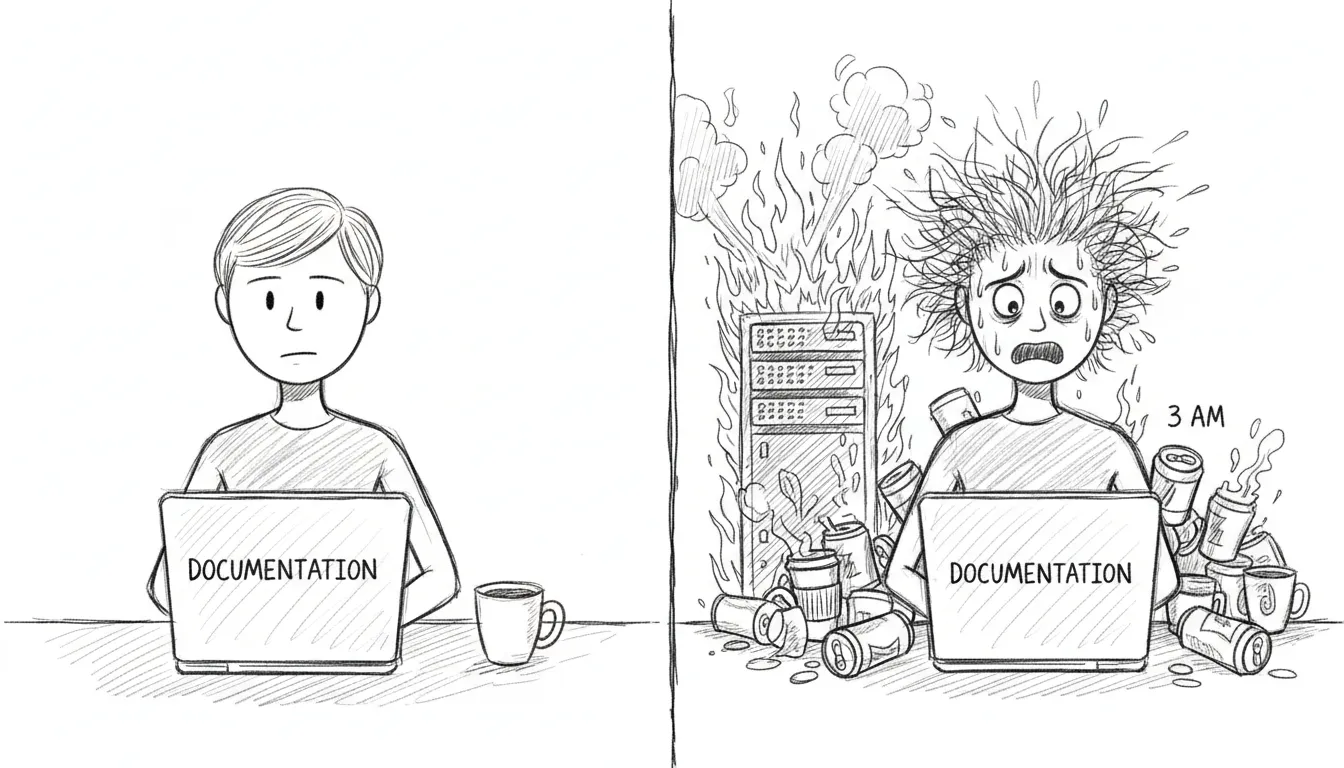
Troubleshooting at 3 AM — the Sanctum rite of passage

If you’re here, something has gone wrong. We’re not going to sugarcoat that. But most things that go wrong have gone wrong before, and the solutions are written down on this page, which means you’re already in better shape than the first time each of these problems was encountered at 2 AM with nothing but man launchctl and a growing sense of dread.

Symptom: SSH to VM times out, dashboard shows VM as down.

The VM lives in a sealed room with one door. If you can’t reach it, either the room is gone or the door is locked.

Check:

  1. Is QEMU running? pgrep -f qemu-system
  2. Is bridge100 configured? ifconfig bridge100
  3. Can you ping the VM? ping 10.10.10.10

Fix:

Terminal window
# Restart VM autostart (QEMU headless) (reconfigures bridge100)
launchctl bootout gui/$(id -u)/com.sanctum.vm-autostart
launchctl bootstrap gui/$(id -u) ~/Library/LaunchAgents/com.sanctum.vm-autostart.plist

VM Can Reach OpenClaw But Not Local Models

Section titled “VM Can Reach OpenClaw But Not Local Models”

Symptom: The VM can talk to the Mac gateway on 10.10.10.1:1977, but model calls to 10.10.10.1:1337 or 10.10.10.1:1234 fail.

That means the VM bridge exists, but the model-serving side of the Mac has drifted. Usually one of two things is true:

  1. The MLX model server is down or bound incorrectly.
  2. The LM Studio bridge listener on 10.10.10.1:1234 is gone.

Check from the VM:

Terminal window
ssh openclaw "curl -fsS http://10.10.10.1:1337/v1/models | jq '.data | length'"
ssh openclaw "curl -fsS http://10.10.10.1:1234/v1/models | jq '.data | length'"

Check on the Mac:

Terminal window
curl -fsS http://127.0.0.1:1337/v1/models
curl -fsS http://127.0.0.1:1234/v1/models
lsof -nP -iTCP@10.10.10.1:1234 -sTCP:LISTEN

Fix:

Terminal window
# Re-run the VM startup path to restore the bridge surfaces
bash ~/.openclaw/scripts/vm-autostart.sh

If 127.0.0.1:1337 is down too, the MLX server itself is the problem, not the bridge. Fix the model server first, then re-run vm-autostart so the VM-side path matches reality again.

Symptom: Health check shows a service as failed.

Quick fix:

Terminal window
bash ~/Projects/openclaw-skills/service-doctor/scripts/service-doctor.sh --fix

The service doctor knows how to restart most things. If it can’t fix the problem, it will at least tell you what’s wrong in language more helpful than a cryptic exit code.

Symptom: launchctl list <label> returns “Could not find service.”

A plist that isn’t loaded is just an XML file sitting in a directory, dreaming of being useful.

Fix:

Terminal window
launchctl bootstrap gui/$(id -u) ~/Library/LaunchAgents/<label>.plist

Check plist validity:

Terminal window
plutil -lint ~/Library/LaunchAgents/<label>.plist

Symptom: Gateway logs show 401 Unauthorized.

A token has died of old age. This happens monthly if rotation didn’t run, or immediately if you rotated manually and forgot to propagate the new token somewhere.

Fix: Rotate the affected token:

Terminal window
bash ~/Backups/rotate-secrets.sh

Or for just the gateway token:

Terminal window
openclaw setup-token

Symptom: Claude Code retries forever with:

401 {"type":"error","error":{"type":"authentication_error","message":"invalid x-api-key"}}

This is the specific failure mode for the Claude Team token path routed through the Sanctum Proxy. The usual cause is not that Claude Code itself is logged out. The usual cause is that the proxy’s Keychain copy of the Anthropic token is stale, invalid, or both.

What changed: Sanctum now wraps the local claude entrypoint with a startup preflight:

  • tools/claude_session_preflight.sh
  • tools/refresh_claude_team_token.sh
  • ~/.local/bin/claude-wrapper

On every claude launch, the wrapper checks the Claude Team token state before starting the real binary. If the token is invalid, it starts the refresh flow automatically, opens the correct Claude Team OAuth page in your default browser, syncs the refreshed token into the Keychain entry anthropic-api-key, and restarts com.sanctum.proxy.

Check the current state:

Terminal window
bash ~/Documents/Claude_Code/tools/refresh_claude_team_token.sh --status

Expected healthy output:

Auth profile validity: valid
Keychain validity: valid
Sync state: in sync

If the tokens are in sync but both invalid, congratulations: the machine is being consistently wrong.

Force the refresh manually:

Terminal window
bash ~/Documents/Claude_Code/tools/refresh_claude_team_token.sh --refresh

What this does:

  1. Runs claude setup-token
  2. Opens the Claude Team auth URL in your default browser
  3. Prompts for the returned code in the same terminal session
  4. Falls back to the agent-browser path only when you explicitly opt into browser automation
  5. Reads the refreshed token from ~/.openclaw/agents/main/agent/auth-profiles.json
  6. Writes it to macOS Keychain under account sanctum, service anthropic-api-key
  7. Restarts com.sanctum.proxy

Test the machinery without Anthropic in the loop:

Terminal window
bash ~/Documents/Claude_Code/tests/test-claude-team-refresh-e2e.sh

That harness replaces the real identity provider with a local file:// page, runs the same refresh script with a fake setup-token binary, and verifies token sync plus proxy restart end to end. It is the difference between “I think the plumbing works” and “the plumbing just passed with receipts.”

If startup preflight itself needs to be reinstalled:

Terminal window
bash ~/Documents/Claude_Code/tools/install_claude_wrapper.sh

That recreates ~/.local/bin/claude-wrapper and repoints ~/.local/bin/claude at it. The wrapper resolves the latest Claude binary from ~/.local/share/claude/versions/ at runtime, so upgrades do not require hand-editing a versioned path like an animal.

The JSON cache may be stale. The shell and TypeScript libraries read from .instance.json, not directly from instance.yaml. If you edited the YAML, the cache needs to catch up.

Force regeneration:

Terminal window
touch ~/.sanctum/instance.yaml
# Next config read will regenerate the cache
  1. Check if the backend is running: curl http://localhost:1111/api/health/status
  2. Check the LaunchAgent: launchctl list com.sanctum.dashboard
  3. Check port 1111: lsof -i :1111

If port 1111 is occupied by something that isn’t the dashboard, you’ve found your problem. Kill the interloper, reload the LaunchAgent, and carry on.

If the browser dashboard is fine but the packaged desktop shell is black, that is a different class of failure. See Holocron App for the renderer-specific failure mode that previously involved the app politely killing itself.

If the watchdog keeps alerting for a known-down service — one you’ve intentionally stopped, or one that’s in maintenance — the deduplication state may need clearing.

Terminal window
# Check dedup state
cat ~/.sanctum/.watchdog-state
# Clear state to reset dedup
rm ~/.sanctum/.watchdog-state

The watchdog will rebuild its state file on the next run. This is harmless. The worst that happens is you get one extra notification cycle before dedup kicks back in.

MLX Server Returning 503 (sanctum-idle Port Conflict)

Section titled “MLX Server Returning 503 (sanctum-idle Port Conflict)”

Symptom: Local model requests fail with 502 All models failed. Last error: 503 http://10.10.10.1:1337/v1/chat/completions. The MLX server process is running but returning empty 503 responses.

Root cause: Two LaunchAgents competing for the same model server:

  • com.sanctum.council-mlx starts the MLX server directly on 0.0.0.0:1337
  • com.sanctum.idle-mlx runs sanctum-idle, which listens on 10.10.10.1:1337 and expects to manage the MLX server on 127.0.0.1:8900

When both are active, council-mlx binds MLX directly to port 1337. The sanctum-idle proxy still accepts connections on 10.10.10.1:1337 but its backend on port 8900 is empty — nothing is listening there. Every request gets a 503.

Diagnosis:

Terminal window
# Check for the conflict — two processes on port 1337 is the giveaway
lsof -i :1337
# If you see BOTH a Python/MLX process AND a sanctum-idle process, that's the bug
# Confirm nothing on 8900 (where idle expects the backend)
lsof -i :8900
# Empty = confirmed conflict

Fix:

Terminal window
# 1. Unload the conflicting agent (stops the process AND removes from launchd)
launchctl bootout gui/$(id -u)/com.sanctum.council-mlx
# 2. Permanently disable it so it never loads again at boot
launchctl disable gui/$(id -u)/com.sanctum.council-mlx
# 3. Kill any orphaned MLX process still on port 1337
kill $(pgrep -f 'mlx_lm.server.*--port 1337') 2>/dev/null
# 4. Restart idle-mlx so it manages the lifecycle properly
launchctl kickstart -k gui/$(id -u)/com.sanctum.idle-mlx

Verify:

Terminal window
# Should show only sanctum-idle on 1337
lsof -i :1337
# Send a test request — idle will wake the model (may take ~30s first time)
curl -s http://10.10.10.1:1337/v1/models

Sanctum Proxy Missing API Keys After Manual Restart

Section titled “Sanctum Proxy Missing API Keys After Manual Restart”

Symptom: Claude Code requests fall through to deepseek-v3 or other fallback models instead of reaching Anthropic. The proxy is running but all Anthropic requests fail silently.

Root cause: The proxy binary was started directly (./target/release/sanctum-proxy) instead of through the LaunchAgent. The launcher script (~/.sanctum/scripts/proxy-launcher.sh) injects API keys from macOS Keychain. Without it, ANTHROPIC_API_KEY, OPENROUTER_API_KEY, and GEMINI_API_KEY are all empty.

Diagnosis:

Terminal window
# Check the launcher log — look for "anthropic=yes"
tail -5 ~/.openclaw/logs/sanctum-proxy-launcher.log
# If the last entry doesn't show key loading, the proxy was started manually

Fix:

Terminal window
# Always restart through the LaunchAgent, never the binary directly
launchctl kickstart -k gui/$(id -u)/com.sanctum.proxy

Fallback Chain Dead End (council-heartbeat)

Section titled “Fallback Chain Dead End (council-heartbeat)”

Symptom: Heartbeat or briefing requests fail with 502 even though remote providers are healthy.

Root cause: The model’s fallback chain only contains other local models on the same server. If that server is down, every fallback also fails.

Example: council-heartbeat originally had only council-mlx as a fallback — both pointing at http://10.10.10.1:1337. When the MLX server was down, there was no escape route to a remote provider.

Fix: Ensure every local model has at least one remote fallback in config.yaml:

fallbacks:
council-heartbeat:
- council-mlx # same local server (fast path)
- nemotron-free # remote escape route (OpenRouter)

Symptom: /Applications/The Holocron.app launches, the window appears, and then all you get is a black rectangle contemplating its choices.

The browser dashboard can still be healthy while the packaged Electron shell is busy sabotaging itself. They are related, not identical.

Check:

Terminal window
ps -ef | rg '/Applications/The Holocron.app/Contents/MacOS/The Holocron'
tail -50 ~/.openclaw/logs/living-force.log
tail -50 ~/Library/Application\ Support/the-holocron/logs/main.log 2>/dev/null

Common root cause: run_sanctum.sh used an overly broad process cleanup rule:

Terminal window
pkill -f "the-holocron"

That matched Electron helper processes via the user-data path and killed the renderer just after launch. Technically precise. Spiritually deranged.

Fix:

Terminal window
# Only target Holocron dev/Vite processes, never the packaged app
pkill -f '/Users/neo/Projects/the-holocron/.*vite' || true
pkill -f 'vite --host 127.0.0.1 --port 3333' || true
# Reinstall the current tested app bundle
cd /Users/neo/Projects/the-holocron
npm run update:app

Symptom: curl http://127.0.0.1:8080/v1/about returns 404 Not Found with No context found for request. All REST-style paths (/v1/about, /api/v1/accounts, /v2/send) return 404.

Root cause: You’re hitting port 8080, which runs the native signal-cli --http mode. The native mode only speaks JSON-RPC at a single endpoint (POST /api/v1/rpc). It does not serve REST endpoints at all. Those live on the Docker wrapper containers on ports 18081 and 18082.

This is not a misconfiguration. It is three different services that all have “signal-cli” in their name but serve different protocols on different ports. See the Signal CLI API Reference for the full breakdown.

Quick fix:

Terminal window
# If you want REST endpoints, use port 18081 or 18082
curl -s http://127.0.0.1:18081/v1/about
# If you want to use port 8080, speak JSON-RPC
curl -s -X POST -H "Content-Type: application/json" \
-d '{"jsonrpc":"2.0","method":"version","id":1}' \
http://127.0.0.1:8080/api/v1/rpc

If the Docker containers are down:

Terminal window
# Check container status
docker ps --filter name=signal --format '{{.Names}} {{.Status}}'
# Restart both containers
cd ~/.openclaw/signal-cli && docker compose up -d

signal-yoda Container Won’t Start (Docker Compose Stale Reference)

Section titled “signal-yoda Container Won’t Start (Docker Compose Stale Reference)”

Symptom: docker compose up -d fails with Error response from daemon: No such container: <hash>. The signal-yoda container shows as “Created” but with a mangled name like 8ad7a58e84ff_signal-yoda.

Root cause: Docker Compose v5 has a bug where it caches a reference to a previous container ID in its project state. When that container gets removed outside of compose (crash, manual docker rm, system restart), compose tries to “Recreate” a container that no longer exists and enters an unrecoverable loop.

Fix:

Terminal window
# 1. Stop and remove all signal containers manually
docker stop $(docker ps -q --filter name=signal) 2>/dev/null
docker rm $(docker ps -aq --filter name=signal) 2>/dev/null
docker rm $(docker ps -aq --filter name=yoda) 2>/dev/null
# 2. Recreate the rest-api container via compose (this one usually works)
cd ~/.openclaw/signal-cli
docker compose up -d signal-cli-rest-api
# 3. Create the yoda container manually with correct name
docker run -d \
--name signal-yoda \
--restart unless-stopped \
-e MODE=json-rpc \
-p 127.0.0.1:18082:8080 \
-p 127.0.0.1:6002:6001 \
-v ~/.openclaw/signal-cli/data-yoda:/home/.local/share/signal-cli \
bbernhard/signal-cli-rest-api:latest
# 4. Verify both are healthy
sleep 15 && docker ps --filter name=signal --format '{{.Names}} {{.Status}}'

Signal Desktop Stealing WebSocket (ConnectedElsewhereException)

Section titled “Signal Desktop Stealing WebSocket (ConnectedElsewhereException)”

Symptom: Yoda stops receiving Signal messages. signal-cli logs show ConnectedElsewhereException in an infinite reconnection loop. Messages sent to +15555550100 are delivered to Signal Desktop instead of signal-cli/OpenClaw.

Root cause: Signal only allows one active WebSocket connection per account. Signal Desktop (the Electron app) and signal-cli both try to maintain a persistent WebSocket to Signal’s servers for +15555550100. When Signal Desktop is running, it wins the connection race and signal-cli gets kicked off with ConnectedElsewhereException every time it tries to reconnect. This creates an infinite loop: connect → kicked → reconnect → kicked.

OpenClaw spawns signal-cli as a child process and will auto-restart it on crash, but each restart hits the same wall because Signal Desktop is still holding the connection.

Diagnosis:

Terminal window
# Check if Signal Desktop is running (this is your culprit)
pgrep -f '/Applications/Signal.app/Contents/MacOS/Signal'
# Confirm signal-cli is in a reconnect loop
# (OpenClaw logs or signal-cli stderr will show ConnectedElsewhereException)
ps aux | grep signal-cli | grep -v grep
# The health check now detects this automatically
~/.sanctum/scripts/signal-health.sh

Fix:

Terminal window
# 1. Quit Signal Desktop gracefully
osascript -e 'tell application "Signal" to quit'
# 2. If signal-cli is stuck, kill it — OpenClaw will auto-restart cleanly
kill $(pgrep -f 'signal-cli.*daemon.*8080') 2>/dev/null
# 3. Wait for Signal's servers to release the connection (~5 seconds)
sleep 5
# 4. OpenClaw auto-restarts signal-cli. Verify it's healthy:
curl -s -X POST http://127.0.0.1:8080/api/v1/rpc \
-H 'Content-Type: application/json' \
-d '{"jsonrpc":"2.0","method":"version","id":1}'
# 5. Confirm it's actively receiving (this error is actually good — means daemon is listening)
curl -s -X POST http://127.0.0.1:8080/api/v1/rpc \
-H 'Content-Type: application/json' \
-d '{"jsonrpc":"2.0","method":"receive","id":2,"params":{"timeout":1}}'
# Expected: "Receive command cannot be used if messages are already being received."

Or use the health check with auto-fix:

Terminal window
~/.sanctum/scripts/signal-health.sh --fix

The health check now runs the Signal Desktop conflict detection first, before any other checks. If --fix is passed and Signal Desktop is found, it kills it automatically.