

Engineering Toolkit
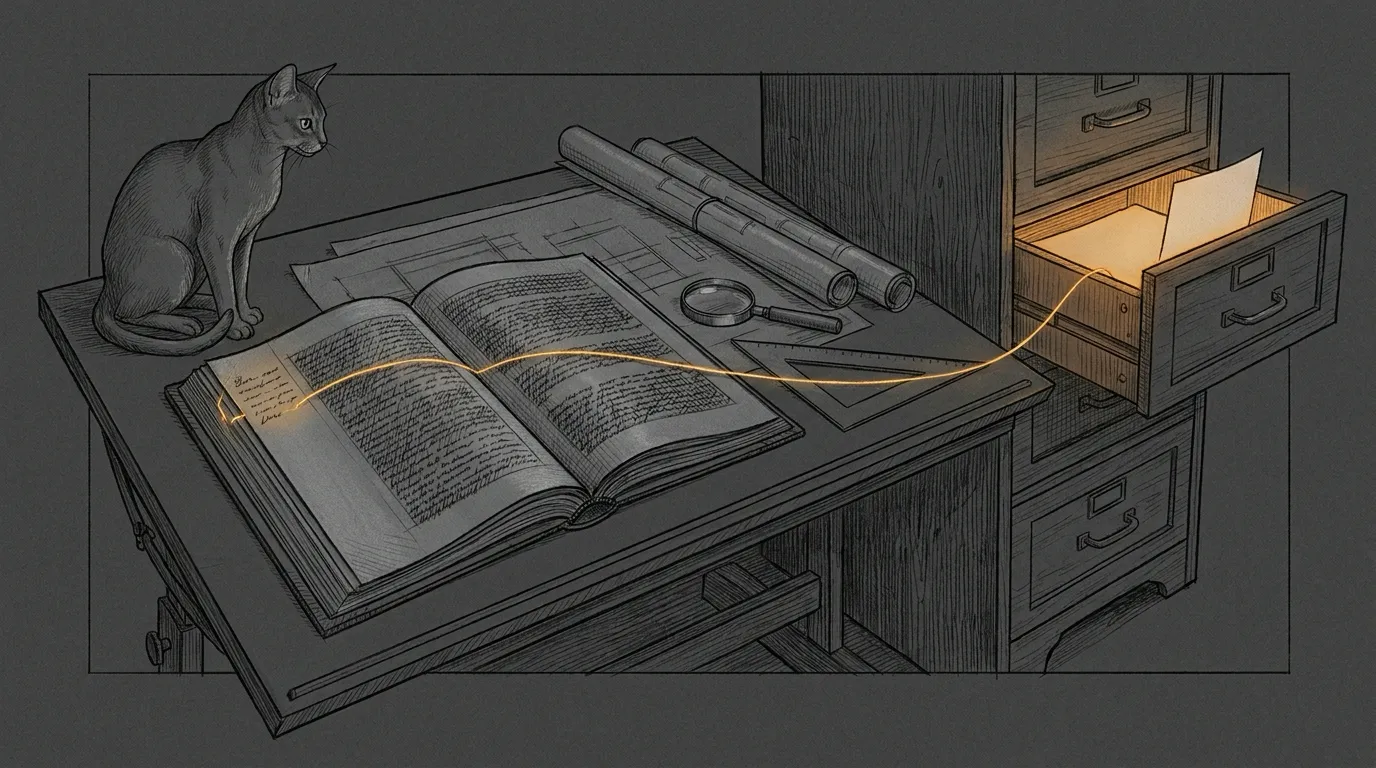
The dataroom arrives as somebody else’s shared folder: reports, quotes, plans, photos, and file names with accents in two encodings. You may read it. You may not write in it, not even a temp file.
At the other end waits a reader with a decision to make about a house: an architect, perhaps, or an engineer. They do not want a folder. They want a dossier: every claim tied to a page, every page one click away, and nothing in it that a model merely sounded sure about.
The engineering toolkit is the road from that folder to that reader. It turns the dataroom into an evidence base, the evidence into a memo, and the memo into an Art Deco PDF and a Word edition in which every citation label opens the document it cites. It was built for one dossier and then generalized, so the next engineering question starts from a pipeline instead of a session scratchpad.
How a dossier runs
Section titled “How a dossier runs”The method lives in SKILL.md, written as a skill for a session to load before it touches a dataroom. One rule holds every step together: every claim cites a reproducible observation, which means a document, a page and a quote. A model’s confident sentence is not evidence. The page it points to is.
- Intake.
etk intakereads the dataroom and writes, outside it, the text, page renders and a manifest of every file. Scans and drawings become page images a reader can actually look at. - Evidence packs. Reading agents take the documents in groups and read every page, renders included. Each writes a JSON evidence pack: facts with their verbatim quote and page, numbers, recommendations, safety flags, contradictions and open questions.
etk packsindexes them by chapter topic. - Outside opinions. Two external models, grok and agy, run headless: an independent opinion before the draft exists, then a critique of the draft. Every statement is a lead. Someone opens the cited page and marks it confirmed, contradicted or absent, and the memo presents the models as checked opinions, never as an engineer.
- Drafting. The memo is written in Claude Docs, in the reader’s language, one tab per annex. What a document establishes, what a contractor claims and what we infer are kept apart. Hazards to the occupants come first, each with who acts and when.
- Two reviews. Separate agents, never the writer. One checks every figure, date and quote against its primary document; the other checks technique, sequencing and safety. Every “must” is fixed, then reviewed again.
- Publish, verify, deliver.
etk assemble,etk build,etk check,etk deliver. The last one stays a dry run until the operator says otherwise.
Two things happen before any of that. The lane is checked: the haus, the haushold and friends come here, and deal work never does. And nobody hands the documents to an outside model without the operator’s consent, because a headless model reads whatever folder it runs in. The privacy posture covers a dataroom exactly as it covers the haus.
Driving etk
Section titled “Driving etk”Every step the toolkit automates is one subcommand of bin/etk, a bash script that runs the Python in lib/ with the sanctum cli-venv. A dossier goes through them in this order:
ETK=~/.sanctum/engineering-toolkit/bin/etk   # run as: bash $ETK ...P=~/.sanctum/engineering-toolkit/projects/<name>/project.yamlTO="<shared folder>"                         # where the dossier goes
bash $ETK intake "<dataroom>" ~/work/<name> # 1. text, rendersbash $ETK packs ~/work/<name>/packs --project "$P" # 2. indexbash $ETK assemble "$P" # 3. Claude Docs export -> memobash $ETK build "$P" # 4. PDF + Word, in projects/<name>/out/bash $ETK pieces "$P" # web links: what it would publishbash $ETK pieces "$P" --yes --check-web # publish, then build againbash $ETK check "$P" # 5. N pass, N fail, N skipbash $ETK deliver "$P" --to "$TO" # 6. dry runbash $ETK deliver "$P" --to "$TO" --yes # the copy| Command | What it does | What it refuses |
|---|---|---|
intake |
Text, page renders and a manifest of every file, plus empty packs/, external/ and drafts/ folders |
A work folder inside the dataroom |
packs |
Indexes the evidence packs: one file per chapter topic, plus safety, contradictions, open questions and numbers | An index inside the dataroom (given --project) |
assemble |
Rebuilds the memo markdown from the Claude Docs export: tabs, figure placeholders, byline | A figure placeholder with no file, or a figure count the config does not expect |
build |
HTML, source links, typography, a two-pass print, the link mechanism, then the Word edition | An --out inside the dataroom, the deliverable folder or a read-only root |
check |
One PASS, FAIL or SKIP line per check, then N pass, N fail, N skip; exit 1 on any failure |
A build made from another project |
relink |
Rewrites the file:// links of one PDF as relative URIs or GoToR actions |
A PDF without Chrome’s classic cross-reference table |
pieces |
Publishes the documents a build cites to a private cloud folder (rclone), one public link per file, and writes the manifest links.web reads |
Sending without --yes (exit 2), an uncited document, the root of a remote, a build older than its project, overwriting or deleting a file it did not publish, a manifest that git would track |
deliver |
Runs etk check, then prints NEW or OVERWRITE for the PDF and the Word file |
Copying when etk check fails or without --yes (exit 2), a folder that does not exist |
The safety rules live in the code, not in a checklist. check changes nothing. Two commands write where someone else reads, and both print what they would do, then wait for --yes. deliver is the only one that writes in a shared folder, which it never creates, and an output name with {date} in it adds a dated copy beside the previous one instead of replacing it. pieces publishes copies of the cited documents to a cloud drive the operator chose.
Both editions come from one source. The PDF is Chrome’s job, below. The Word edition starts from the same final HTML: docx/build_docx.sh turns it into a document model, renders it with Node and the docx library, and embeds the theme’s static fonts. The file is written only once a validation passes: the package, the text word for word against the HTML, every link in document order, the fonts. LibreOffice then renders it as a check, and etk check reports its page count beside the PDF’s. Word itself cannot be driven headless, so no build ever opens the file in Word: a person does, once, before it ships.
A new project starts as a copy of the synthetic demo in tests/fixtures/demo/. One project.yaml holds everything specific to a dossier, and the build stops on whatever is missing, saying what: a table without column widths, a heading without a chapter, a configured file that is no longer on disk.
# tests/fixtures/demo/project.yaml, trimmedtheme: art-decodeliverable_dir: dataroom # where deliver is meant to copyreadonly_roots: [dataroom] # build and packs never write herechapters: - {prefix: Avertissement, id: avertissement, notice: true} - {prefix: Résumé, id: s1, num: "1"}links: root: dataroom photos: IMG_0001: "Photos/IMG_0001.jpg" rules: - ['IMG_\d{4}', '{match}'] # the label is its own key pdf: absolute # link mechanism, PDF edition docx: relative # Word: relative to deliverable_dir unicode: nfc # accents in relative pathsWhat Chrome taught us
Section titled “What Chrome taught us”Headless Chrome prints the PDF from HTML the toolkit writes. It is a better typesetter than its reputation, with a handful of habits nobody writes down. Each was found the expensive way, on a printed page, and each is now handled by the theme, the build or a check:
| Symptom | Cause | What the toolkit does |
|---|---|---|
| No gold frame | @page ignores background-image (a color works) |
The frame is one full-page SVG, shown in slices by the eight @page margin boxes with negative background-position |
| Running head on the cover | A later @page rule’s margin boxes beat the named cover page’s content: none |
The head is written into a marked slot of the theme stylesheet, never appended after it |
| Ink on the previous page | CSS outline, transform on pseudo-elements, and the accent of a capital that opens a page |
Wrapper borders, clip-path diamonds, padding-top on headings |
| A 5 MB photo | A stale EXIF block, left over from an earlier rotation, makes Chrome re-encode the JPEG | media.py drops the EXIF segment byte by byte and keeps the pixels and the color profile; a photo still tagged to rotate is turned upright first |
| A re-encoded cover | object-fit: cover cropping hard: a 4:3 photo kept 64% of its width in the arch |
Cut the cover photo near the arch’s 0.858 width-to-height ratio; the build warns below 80% |
The contents page is the one thing CSS cannot know in advance. Chrome writes an uncompressed named destination for every #id link target, so render/render_pdf.sh --two-pass prints once and reads the page each chapter landed on. It writes the numbers into boxes of the same width, so nothing reflows, and prints again. etk check then compares the contents with the PDF’s own destinations.
The same HTML and assets always draw the same pages. That is what lets the suite build twice and diff the drawings. It also lets a new version of a delivered dossier be checked against the old one with --ref-pdf, --ref-html and --ref-docx: same destinations, same link anchors, same Word parts, no run of text missing, every difference explained.
Launched through LaunchServices with open -n -g -b, headless Chrome prints, and then simply stays. The render script waits for a PDF that ends in %%EOF and holds its size, stops that one Chrome by its profile path, and deletes the profile. Each print gets a fresh profile under $TMPDIR, never beside the output, which may sit in a synced folder. The operator’s own Chrome is never touched.
The link that would not open
Section titled “The link that would not open”A citation link has one job: open the cited document for the person reading. The first dossier went out with file:// links into the shared folder, and the click tests of October 2026 took that design apart.
Preview is sandboxed. It opens a linked PDF inside its own process, where the sandbox lets it read only the document the reader opened, so a file:// link into the dataroom answers “you don’t have permission”, through the real iCloud Drive path or a symlink in /Users/Shared alike. The early click test that passed was one long-running Preview in a lucky state: sandbox_check against the running Preview found none of the linked files readable. Preview also refuses custom URL schemes, folders and anything but a PDF, with a beep, and relative links open nothing. Only http(s) links leave it, for the browser.
And a dossier travels, by text message, to a phone that has no copy of the dataroom. iCloud Drive cannot carry the documents either: a link the system makes for one file expires after 30 days, and a shared folder cannot point at one file and asks its reader to sign in. What works for every reader is a web link to one document.
The file-link mechanisms stay, for readers who have the dataroom: Word opens relative links once it is granted the folder, and relative paths are always counted from a file’s real place, never through a shortcut. The mechanism remains a parameter of each project, chosen after a click test on the reader’s side:
| Where | Parameter | Values |
|---|---|---|
| Both editions, web links | links.web, pieces.remote |
The manifest etk pieces writes, and the rclone folder it publishes to, never the root of the remote |
| HTML and PDF as printed | links.root, links.href_root |
Absolute file:// under the dataroom, or under another prefix that exists on the reader’s Mac |
| PDF edition | links.pdf |
absolute (the default), relative[:<dir>], gotor[:<dir>], gotor-all[:<dir>] |
| Word edition | links.docx |
absolute, relative[:<dir>] (the default when there is a deliverable folder), prefix:<old>=<new> |
| Relative paths | links.unicode |
nfc (the default), nfd, keep |
A relative link is counted from the deliverable folder by default, so it follows that folder to every Mac that syncs it. Those accents from the first paragraph come back here: macOS may store an accented file name decomposed, so links.unicode decides how a relative path spells it, and the link census always compares names in composed form.
Three tools bring evidence to the choice of mechanism instead of opinions. etk relink rewrites one PDF in any mode. python3 -I lib/checks.py pdf-links resolves every target the way that mode implies and counts the missing ones. And lib/pdfkit_links.js, run through osascript, asks PDFKit, the engine inside Preview, what it thinks each link points to.
Publishing the pieces
Section titled “Publishing the pieces”etk pieces takes the documents a build cites, and only those, to a private folder of a cloud drive through rclone, and gives each file its own public link; the folder itself is never shared, so nobody browses from one document to the next. It writes a manifest of the links, and links.web makes the next build link every citation to its document, in both editions. What it promises, from photos that lose their GPS position to a manifest that git may never track, is listed in the first annex, and etk check holds every build to it.
The dataroom is still somebody else’s folder, and the only thing the toolkit will ever add to it is the dossier itself, when asked. The documents it cites leave only as copies, one link each, on a drive the operator chose. Every citation is a door to one of them: the toolkit proves there is a room behind each door and that a stranger can open it, and one click on the reader’s phone proves it opens for them.
Annex: what etk pieces guarantees
Section titled “Annex: what etk pieces guarantees”- A photo goes up without its EXIF block, where a phone writes the GPS position, the date and the device; the orientation is kept and the pixels are not re-encoded.
- A document keeps its remote name, and so its link, while its file name stays the same: a new version replaces the old one behind the same link.
- The manifest records each document’s MD5 as published; a file changed since stays unlinked, and fails
etk check, untiletk piecessends it. - It never overwrites or deletes a file it did not put there; a document no longer cited stays public, and listed, until
--prunedeletes it. - The manifest is rewritten after every upload and link, so a run cut short still records what it made public. It is a list of bearer links: gitignored, readable by its owner only, refused anywhere git would track it.
etk check reads the manifest at check time: every cited document published and unchanged, each one’s link in the PDF and the Word file, and no file link left. With --check-web, which etk deliver always adds, it opens every link as a stranger would, with no cookie and no account, and fails on a sign-in page.
Annex: the suite, and where things live
Section titled “Annex: the suite, and where things live”Like every shipping component, the toolkit carries its own suite, in the spirit of Engineering Discipline. It is registered in ~/.sanctum/tests/run-all.sh as Engineering Toolkit, runs in about five minutes, and ends on a single N pass, N fail, N skip line.
~/.sanctum/engineering-toolkit/tests/test-engineering-toolkit.shIt is hermetic and synthetic. It copies the demo project into tests/.work/, gitignored and kept for inspection. There it generates a dataroom: two PDFs printed by Chrome, a JPEG with a GPS position and a stale EXIF block, a DOCX converted by soffice, and a file name with decomposed accents. Then it runs everything: assemble, media, intake, packs, build, every link, text parity, JPEG embedding, PDF text, two builds that must match page for page and part for part, relinking as URIs and as GoToR, the Word edition in every link mode, deliver from dry run to overwrite notice, and every refusal to write in the dataroom. The web links run against a stand-in for rclone that never leaves the Mac, and a local server that answers like a file nobody shared. Then the code was broken on purpose, one defect at a time, until every defect turned a test red. Outside the logged-in Aqua session, where LaunchServices cannot start Chrome, everything after the static checks reports SKIP rather than failing.
| Path | What lives there |
|---|---|
bin/etk |
The command |
lib/ |
Config, memo assembly, HTML, source links, French typography, contents, relink, checks, PDF scanning, photos, intake, publishing the cited documents, and two PDFKit scripts |
render/render_pdf.sh |
The headless Chrome print: --two-pass for the contents page numbers, one throwaway profile per print |
themes/art-deco/ |
theme.yaml, deco.css, the frame, rule, fan and cover-art SVGs (ornaments.py draws the last two), PNG renders of the ornaments for Word, and the fonts with OFL.txt and FONTS.md |
docx/ |
The Word edition: build_docx.sh, the HTML-to-model step, a Node renderer on docx 9.6.1, font embedding, validation |
projects/<name>/ |
One dossier’s project.yaml and content |
tests/ |
The suite and the synthetic demo project |
README.md, SKILL.md |
The reference, and the method |
All of it lives in ~/.sanctum/engineering-toolkit/, inside the private sanctum-config repo, because project folders hold private material; changes land with gitsync, pathspec only. The three typefaces, Poiret One, Josefin Sans and Cormorant Garamond, ship under the SIL Open Font License, with the license text beside them. This page is the public half: the method and the machinery, never a dossier.